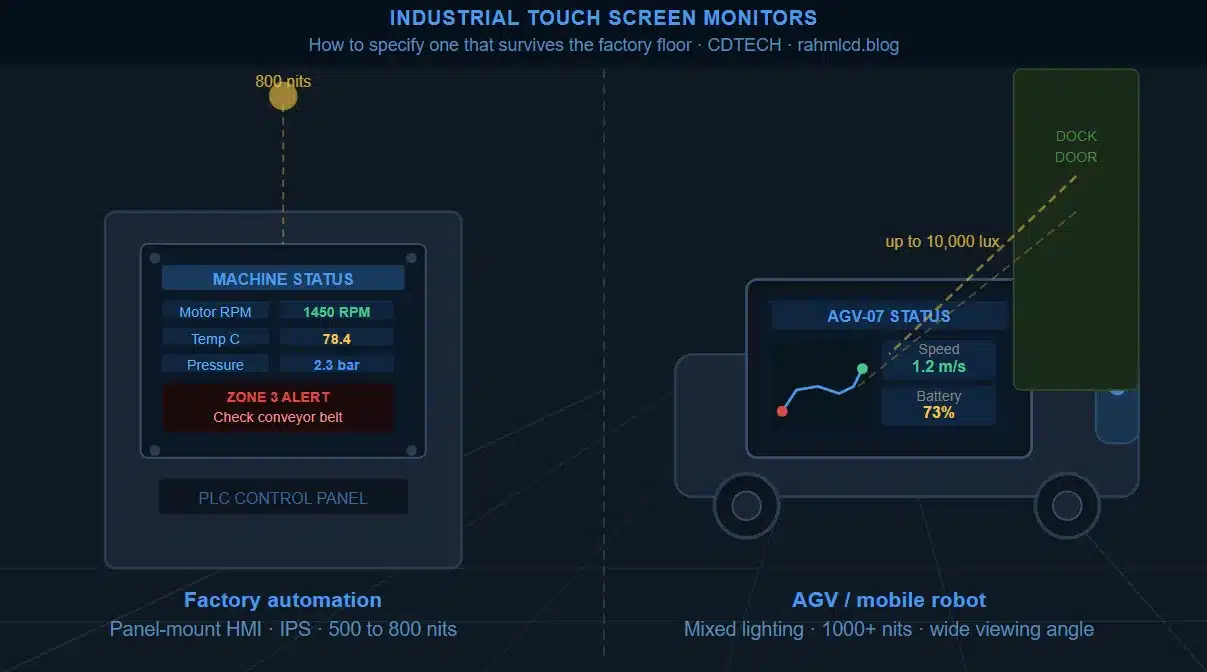
An industrial touch screen monitor is not a commercial display with a ruggedized label on the box. The differences that matter show up six months after installation, when a factory-floor panel starts ghosting from ambient EMI, or an AGV display becomes unreadable under the warehouse lights, or a PLC interface fails its first cleaning cycle.
This guide covers the specifications that actually separate industrial-grade from commercial-grade, with a focus on the two questions we hear most from factory automation and AGV customers: brightness and viewing angle. For a broader overview of TFT LCD module types, interfaces, and configuration options, see our complete TFT LCD module guide.
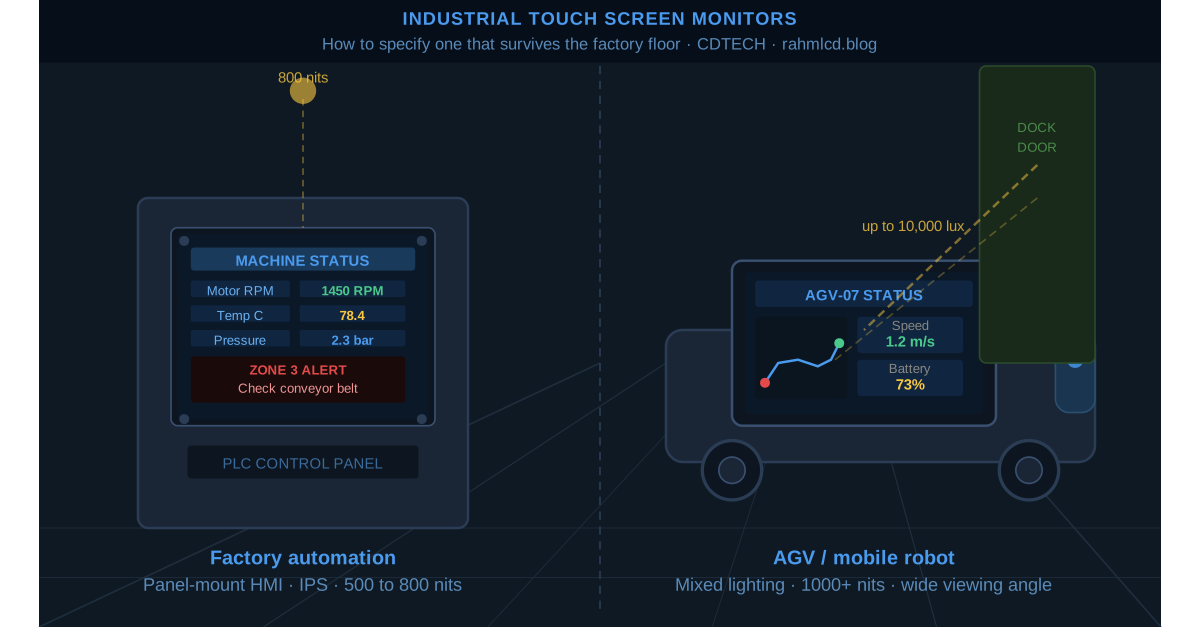
Why commercial displays fail in industrial environments
Commercial LCD panels are designed for office and retail environments. They perform well under controlled lighting with minimal vibration, stable temperatures, and clean air. Industrial environments challenge all of these assumptions simultaneously.
The most common failure modes we see in field feedback:
- Washed-out display under overhead warehouse lighting or near windows, because standard brightness is insufficient against high ambient lux levels.
- Unreadable viewing angles on a panel-mounted display that operators approach from the side or below, because TN panels have narrow vertical viewing angles by design.
- Touch false triggers or dead zones caused by EMI from nearby motor drives, frequency converters, or welding equipment interfering with capacitive touch controllers.
- Premature delamination or seal failure from exposure to cleaning agents, cutting fluid mist, or temperature cycling that commercial panels are not tested for.
Each of these is a solvable specification problem, not a fundamental limitation of LCD technology. The key is knowing which specs to check before the design is locked.
Brightness and viewing angle: the two specs that matter most on the factory floor
Brightness
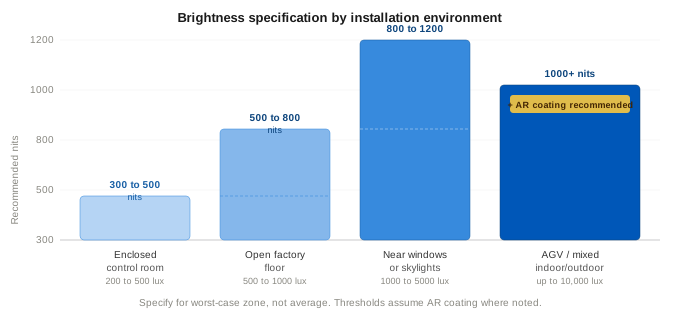
Factory floors vary significantly in ambient light. A sealed machining cell with controlled lighting is very different from an open assembly area with skylights or an outdoor-adjacent loading dock. The practical brightness thresholds for industrial environments follow the same logic as outdoor applications, but the typical required range is narrower:
| Environment | Typical ambient | Recommended brightness |
|---|---|---|
| Enclosed control room / panel cabinet | 200 to 500 lux | 300 to 500 nits (standard) |
| Open factory floor, artificial lighting | 500 to 1000 lux | 500 to 800 nits |
| Near windows or skylights | 1000 to 5000 lux | 800 to 1200 nits |
| AGV operating in mixed indoor/outdoor zones | Up to 10000 lux | 1000 nits minimum, AR coating recommended |
For AGV applications specifically, the display needs to remain readable as the vehicle moves through zones with different lighting conditions, sometimes including dock doors or loading areas with direct sun exposure. Specifying for the worst-case zone rather than the average is the more reliable approach.
Viewing angle
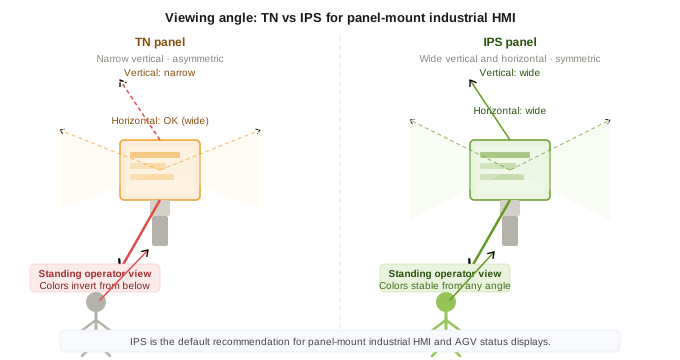
This is the specification that gets overlooked most often in factory automation projects. The issue is panel technology, not just the degree number on the datasheet.
TN panels have narrow, asymmetric vertical viewing angles. Colors invert noticeably when the panel is viewed from below, which is exactly the angle a standing operator uses when a display is mounted at waist or knee height on a machine. IPS panels have wide, symmetric viewing angles in both axes, which is why they have become the default recommendation for panel-mount industrial HMI. Beyond viewing angle, IPS and TN behave differently at the hardware level in ways that catch engineers out during bring-up. If you are integrating an LCD module for the first time, this article covers a common IPS vs TN confusion that shows up when powering up for the first time.
For AGV displays, the viewing angle issue is more acute. The display is mounted on the vehicle body and viewed by personnel approaching from various angles to check status or interact with the interface. A narrow viewing angle means the display is only readable from directly in front, which defeats the purpose of a status display on a moving vehicle.
The specifications worth confirming before you order
Operating temperature range
Industrial environments include both extremes. A display installed in a control cabinet near a heat source, or on an AGV that parks in an unheated loading dock overnight, needs a confirmed operating range that covers the actual installation conditions. The datasheet operating temperature should be verified against the worst-case ambient in the enclosure, not just the room temperature. Panel specifications and backlight specifications sometimes have different thermal limits, and the lower of the two is the effective limit for the module.
Touch technology and EMI environment
As covered in more detail in our capacitive vs. resistive touch guide, the choice of touch technology matters significantly in industrial environments. High-EMI locations near variable frequency drives, servo motors, or induction heating equipment can cause ghost touches or reduced sensitivity on capacitive panels if the controller firmware is not tuned for the environment. For factory automation applications, confirm with the supplier whether the touch controller has been tested or configured for high-EMI conditions. Resistive touch is inherently immune to EMI, which is one reason it remains in use in demanding industrial settings despite the single-touch limitation.
Panel mounting and sealing
Panel-mount industrial displays are typically specified with an IP rating for the front face. IP65 is the common minimum for factory floor applications, providing dust-tight and water jet protection. IP67 adds submersion tolerance. The rating applies to the front panel only in most cases. The rear of the display and the cable entry points are handled by the enclosure design, not the display module itself. Confirm which surfaces the IP rating covers before relying on it for the full installation.
Vibration and shock
AGV and mobile machinery applications put displays through continuous vibration profiles that stationary factory-floor panels do not experience. For these applications, ask specifically about vibration test data. A display that passes IEC 60068-2-6 vibration testing has been validated against a defined profile. A display that has not been tested may or may not hold up, and the failure mode is typically adhesive delamination or connector fatigue rather than immediate breakage, which means it shows up as a field reliability issue rather than a DOA problem.
A note on display size for factory automation and AGV
Factory automation HMI panels most commonly fall in the 7 to 12.1 inch range, with 10.1 inch being particularly common for standalone panel-mount applications. AGV status displays tend to be smaller, typically 5 to 7 inch, because the priority is visibility from a distance rather than detailed interaction. Both of these are within the 2.4 to 15.6 inch range we supply, and the size selection usually comes down to the enclosure cutout dimensions and the UI content density required by the application software.
What to ask before specifying
- What is the worst-case ambient light level at the installation location, including any seasonal or shift variation?
- Is the panel viewed from directly in front, or do operators regularly approach from angles above, below, or to the side?
- Is there significant EMI in the environment from drives, motors, or heating equipment near the display location?
- What is the operating temperature range at the display location, including enclosure heat buildup?
- For mobile applications: has the display been tested to a vibration standard, and what profile was used?
- What IP rating is required for the front face, and does the installation environment include liquid spray, mist, or submersion risk?
Summary
The most common misspecification in industrial display projects is treating brightness and viewing angle as secondary specs after size and interface. For factory automation panels, IPS technology and 500 to 800 nits covers the majority of indoor applications. For AGV displays in mixed environments, 1000 nits with AR coating is the more reliable starting point. In both cases, confirming the touch technology against the EMI environment before the design is locked avoids the most common field reliability issue we see in this application category.
For a full overview of TFT LCD module specifications including interface types and touch options, see our TFT LCD module buyer’s guide.
Specifying a display for a factory automation panel or AGV project? Share the installation environment, required display size, and operating conditions and we can recommend a module configuration based on what we have shipped for similar applications. Contact us here.

 English
  Español
  日本語
日本語  한국어
한국어
Leave a Reply