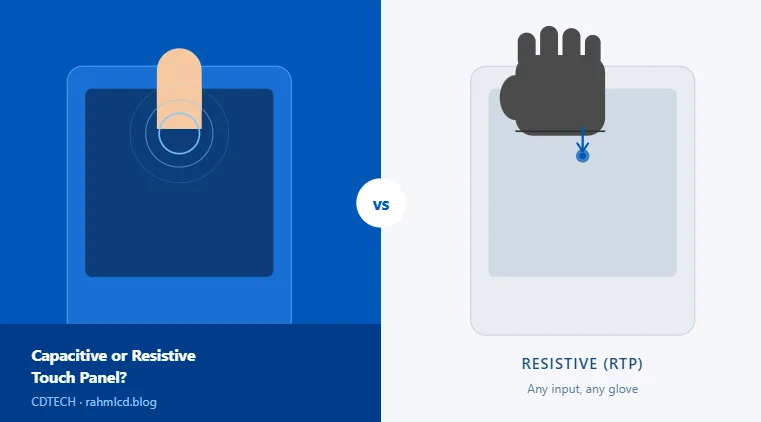
Most engineers ask this question after they have already settled on a display size. By that point, the mounting cutout is drawn, the enclosure depth is fixed, and the only real decision left is what the operator’s hands will look like, and what the environment around the screen will be. That is where the capacitive versus resistive choice actually lives.
This guide is written from the module supplier side. We will skip the textbook definitions and focus on the practical tradeoffs we see across industrial HMI, vehicle-mounted, and medical device applications. For a broader overview of TFT LCD module configuration options including interfaces and brightness, see our complete TFT LCD module guide.
The short answer: why CTP dominates today
If you have no strong reason to choose otherwise, a projected capacitive (PCAP) touch panel is the right default in 2026. The reasons are straightforward:
- Multi-touch and gesture support out of the box
- Faster response, smoother feel, and operators notice the difference
- Glass surface is harder and more scratch-resistant than RTP’s top film
- The cost premium over resistive has narrowed significantly at mid-volume
In our shipments, PCAP modules account for the clear majority of touch panel orders. That ratio has shifted noticeably in recent years, and we do not expect it to reverse. For most new designs, the conversation starts at CTP and only moves to RTP when there is a specific reason.
When resistive touch still makes sense
RTP is not obsolete. It is just more specific. There are four situations where it genuinely wins.
1. Thick gloves or non-conductive input
Standard PCAP requires a conductive contact: bare fingers, thin medical gloves, or a PCAP-compatible stylus. Heavy-duty work gloves, rubber insulation gloves, and most non-conductive pointers will not register. RTP responds to physical pressure regardless of what is pressing it, which makes it the default choice for any application where the operator cannot or will not use bare hands.
Some PCAP controllers support a “glove mode” setting that increases sensitivity, but this also increases false-trigger risk in high-vibration environments. It is a tunable parameter, not a guaranteed fix.
2. Wet or liquid-contaminated surfaces
Capacitive touch cannot distinguish between a finger and a water droplet. Both conduct. In environments with condensation, rain splash, frequent rinsing, or food processing residue, an RTP surface is far more predictable. The screen only registers when something physically presses the top layer down.
3. Stylus or precision input in medical settings
In medical applications, the choice is more nuanced. Bedside devices and patient monitors are mostly moving toward CTP because nurses and caregivers operate them bare-handed. But equipment used inside surgical or sterile fields often stays with RTP. A sterile stylus or a gloved hand under a sterile drape does not work with standard capacitive sensors. The critical question is where in the clinical environment the device actually sits.
4. Very low-cost, low-interaction designs
If the device only needs a few button presses per session, has a large MOQ, and cost is the primary driver, RTP can still make sense on a pure BOM basis. That said, this calculation has changed. The gap is smaller than it was five years ago.
Environment variables that shift the decision
Beyond the input method itself, the operating environment often determines which technology survives in the field.
| Factor | CTP | RTP |
|---|---|---|
| Operating temperature | Typically -20°C to +70°C (controller-dependent) | Slightly wider range on passive 4-wire designs |
| EMI / strong electric fields | Susceptible; controller tuning required in heavy industrial environments | Not affected; purely resistive, no sensing circuitry |
| Chemical / disinfectant exposure | Glass surface handles most disinfectants well | Top PET film degrades with aggressive solvents over time |
| Vibration (vehicle / machinery) | Glove mode may increase false triggers; controller tuning needed | No false triggers from vibration alone |
| Panel-mount installation depth | Glass stack adds 1.5 to 3mm depending on bonding method | Thinner overall stack, easier in tight enclosures |
The EMI row matters particularly in vehicle and special-purpose machinery applications. High-current cables near the display, motor driver switching noise, or proximity to RF equipment can cause ghost touches on CTP panels if the controller firmware is not tuned for the environment. This is solvable, but it needs to be tested before production, not discovered after.
What to ask your supplier before you decide
These are the questions worth confirming before you commit to a touch solution:
- Which touch controller IC is used, and does the firmware support glove mode or water rejection mode as a configurable parameter?
- Is the bonding optical (full lamination) or air gap? Optical bonding improves contrast in bright environments but adds cost and makes field replacement harder.
- For RTP: is it 4-wire or 5-wire? 5-wire is more accurate and more durable. The sensing circuit runs only on the bottom layer, so the top layer can degrade without affecting accuracy.
- What is the hardness rating of the cover surface? IK rating if impact resistance matters in the application.
- Can they provide a sample module for validation in your actual environment before tooling or volume commitment?
Summary
Default to CTP unless one of the following applies: the operator cannot use bare hands or a PCAP stylus, the environment involves significant liquid contamination, the device operates in a high-EMI field without budget for controller tuning, or the design is purely cost-driven with minimal interaction requirements.
In vehicle-mounted and industrial HMI applications, glove compatibility and vibration behavior are the two questions to resolve first. In medical, the deciding factor is usually where in the care setting the device will be used. For a full walkthrough of industrial display specifications including brightness, IP rating, and vibration requirements, see our guide on industrial touch screen monitors.
Working on an enclosure design and need to confirm the touch stack spec? Share your application details: mounting environment, operator input method, and display size, and we can suggest a configuration based on what we have shipped for similar projects. Contact us here.

 English
  Español
  日本語
日本語  한국어
한국어
Leave a Reply