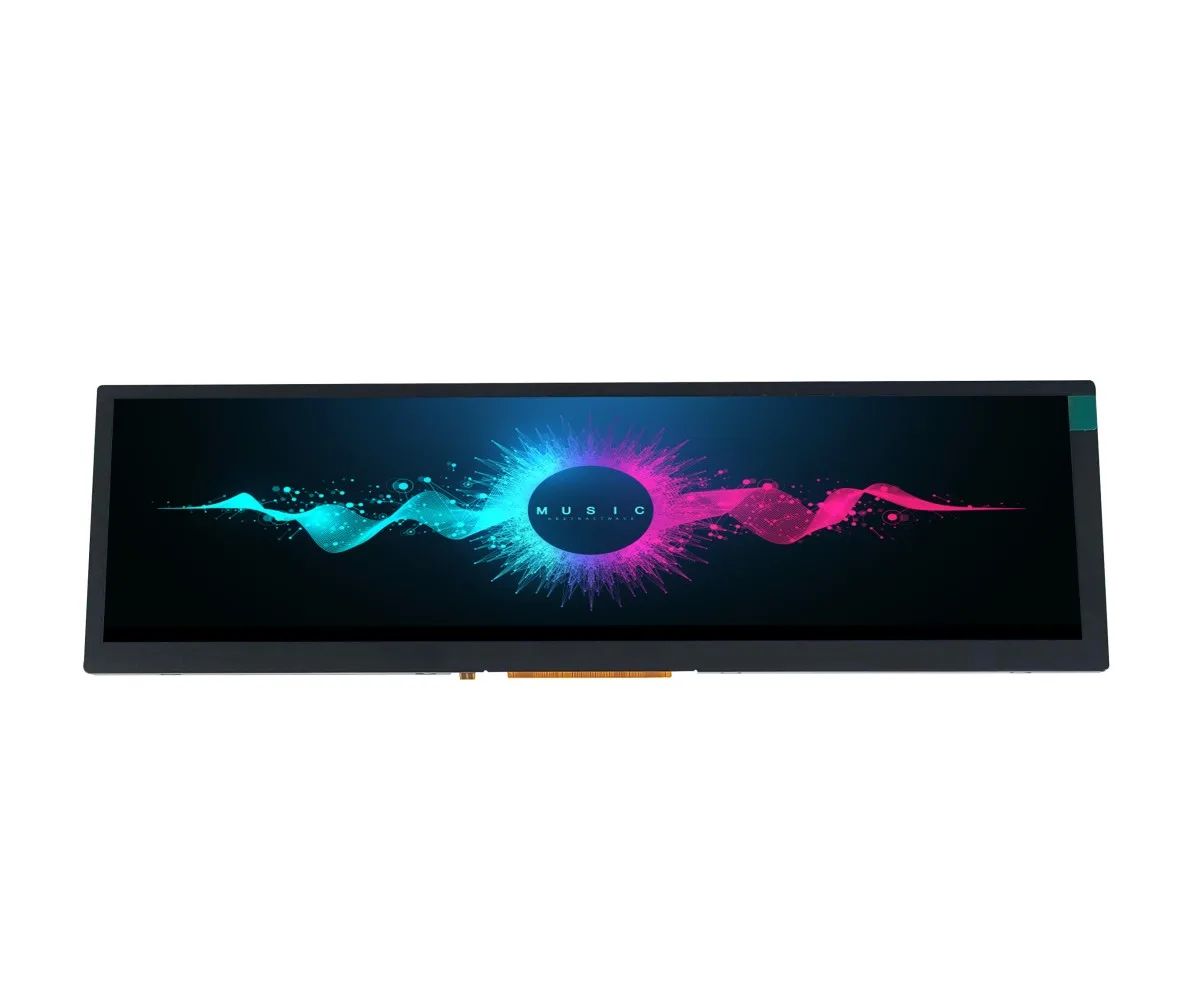
This guide covers what stretched bar LCD modules are, how to choose the right size and interface, what to watch for with touch integration, and which applications they are best suited for.
What Is a Stretched Bar LCD Display?
A Stretched Bar LCD (also known as Bar LCD, Bar LCD Panel, Bar Type LCD Display, or Stretched Bar Monitor) is a type of screen where the length is significantly greater than the height. In short, it is another name for a bar-type display. Typically ranging from 2.9 to 15.6 inches, these modules are designed for embedded applications. If your housing design is tight on space, a stretched bar LCD is a strong option.
Compared with standard 16:9, 16:10, or 4:3 screens, bar-type LCDs are an ideal solution for many specialized use cases where space and shape are limiting factors.
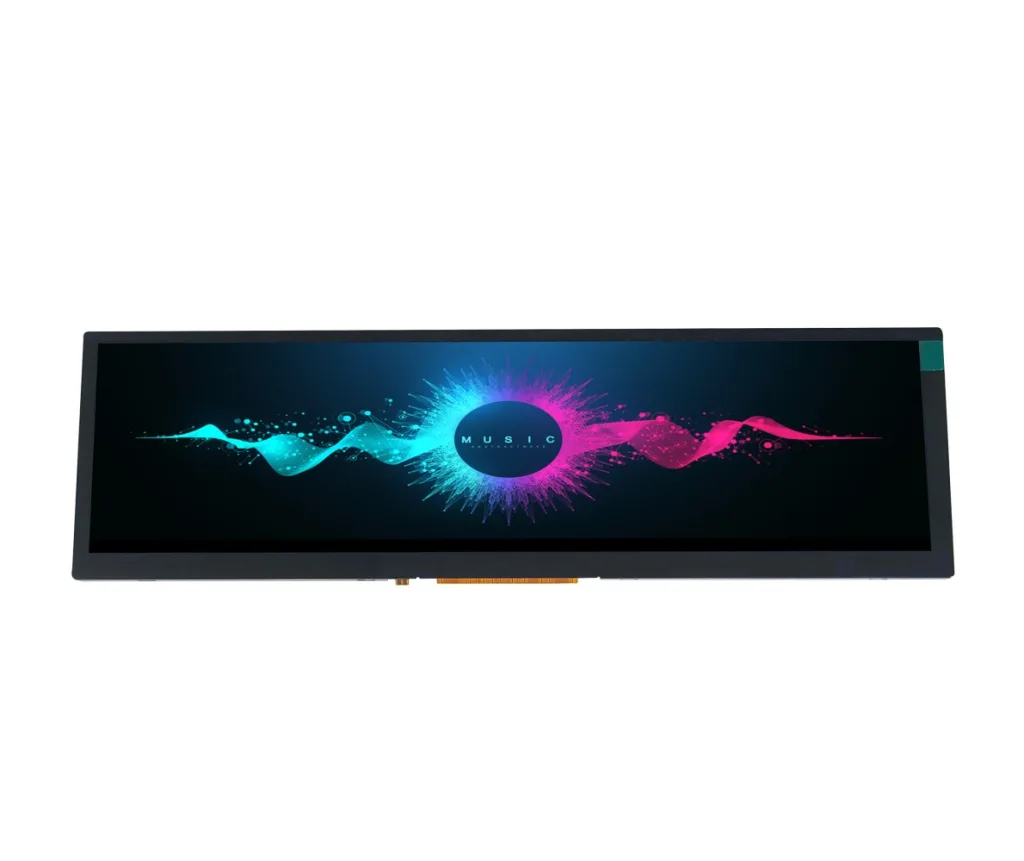
Key Differences Between Stretched Bar LCD and Traditional Displays
The biggest advantage lies in space efficiency. If your goal is not to show large images but to present key information, a bar-type screen can help you free up significant internal space. In narrow product designs, it is often difficult to integrate a traditional rectangular screen, but a bar LCD panel can fit into:
- Retail shelf displays
- Payment terminal interfaces
- Elevator control panels
- Smart home device bars
- Gaming console status strips
Another benefit is visual focus. Stretched bar LCDs are often used to display highly focused data: system status, scrolling menus, alerts, or control bar information. Because the shape stands out from conventional rectangular screens, bar displays naturally draw attention without requiring extra UI design effort.
A Real Example: Bar LCD Design in Action
One of our U.S. clients came to us needing a custom-sized bar LCD that was not available off the shelf. After reviewing the requirements with our PM team, we found we could cut down a 6.3-inch panel to match their exact dimensions.
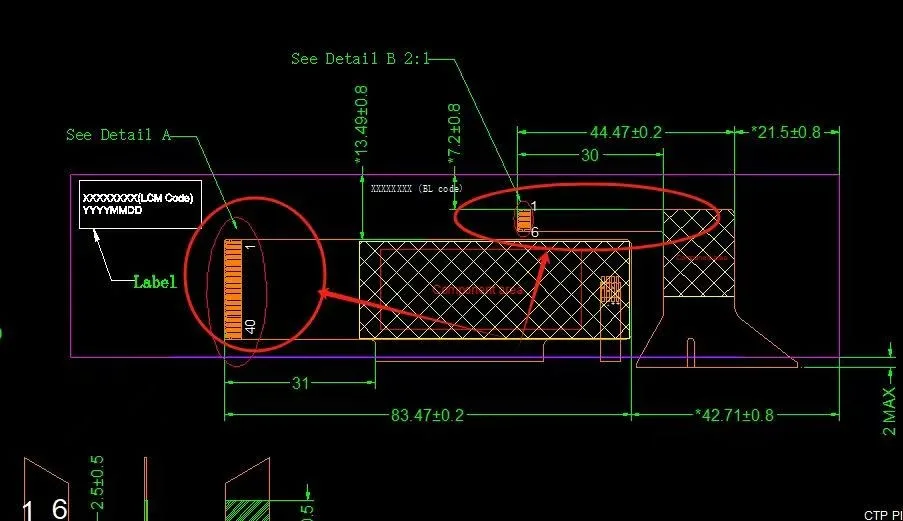
The second challenge: they wanted the FPC to exit from the side. Our module’s FPC was designed to exit from the bottom due to IC placement and could not be re-routed in the standard configuration.
Our solution was to fold the bottom-exit FPC backward so that it exits from the rear side. No changes to the PCB, no interference with their housing structure, and a space-efficient layout that moved cleanly into production.
Where Are Stretched Bar LCDs a Good Fit?
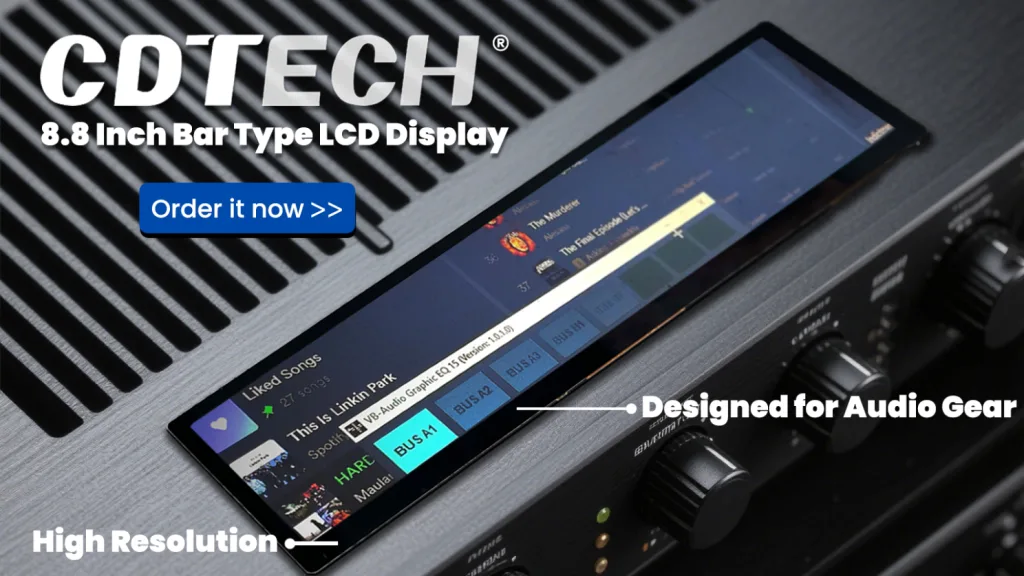
The stretched bar LCD modules we produce are small to mid-size, typically 2.9″, 4.6″, 8.8″, up to 15.6″. These are suited for embedded product applications, not large-format signage. Common use cases include:
- Retail-facing promotion screens
- Fitness equipment UI panels
- Smart appliances (refrigerators, ovens, coffee machines)
- Industrial machine status bars
- Elevator floor indicators
- Audio equipment control panels
- Automotive center console strips
- KNX and building automation touch panels
Choosing the Right Interface: RGB, LVDS, MIPI, SPI, or MCU
Interface selection is one of the first decisions to make when specifying a bar LCD module. The right choice depends on your host processor, the resolution you need, and the cable distance between the display and the main board.
| Interface | Typical Resolution Range | Best Suited For | Notes |
|---|---|---|---|
| RGB (Parallel) | 320×120 to 800×480 | MCUs with parallel display output, short cable runs | Simple to implement, but requires many signal lines |
| SPI | Up to 320×240 | Low-power MCUs, small bar displays | Slow refresh rate; acceptable for status displays, not video |
| MCU (8/16-bit) | Up to 800×480 | Microcontrollers without dedicated display IP | Common on small bar modules; check your MCU’s display controller support |
| LVDS | 800×320 to 1920×720 | Embedded Linux, industrial SBCs, automotive SoCs | Preferred for larger bar modules above 6 inches; robust over longer cable distances |
| MIPI DSI | 480×128 to 1920×720 | Application processors (Qualcomm, MediaTek, NXP i.MX) | Low power, high speed; requires MIPI-capable host |
For most industrial bar LCD projects using a Raspberry Pi, NXP i.MX, or Rockchip platform, LVDS is the most straightforward interface for panels above 6 inches. For smaller bar modules driven by STM32 or similar MCUs, RGB or SPI is typically the right starting point.
If your processor outputs MIPI DSI but the module you want has an LVDS interface, a bridge IC (such as the SN65DSI83 from Texas Instruments) can convert between the two. This adds cost and board space but is a common solution in custom designs.
Resolution and Pixel Density: How to Decide What You Need
Stretched bar LCD modules span a wide range of resolutions, from 320×120 on a 2.9-inch panel to 1920×720 on a 15-inch module. Choosing the right resolution comes down to two questions: what content are you displaying, and how close will users be to the screen?
| Size | Resolution | PPI (approx.) | Suitable Content |
|---|---|---|---|
| 2.9″ | 320×120 | ~112 | Simple text, icons, status indicators |
| 3.9″ | 480×128 | ~126 | Short text strings, basic UI elements |
| 4.3″ | 800×320 | ~196 | Multi-line text, simple graphics |
| 6.3″ | 800×280 | ~136 | Dashboard UI, waveform display |
| 8.8″ | 1280×320 | ~149 | Scrolling content, multi-zone layouts |
| 12.3″ | 1920×720 | ~170 | Full UI with images, automotive cluster |
| 15.0″ | 1920×720 | ~138 | Wide-format HMI, control panel |
For a shelf-edge display or elevator indicator viewed from 0.5 to 1 meter, anything above 100 PPI will look sharp enough for text and icons. For an automotive instrument cluster or a fitness equipment panel viewed at closer range, aim for 150 PPI or above to avoid visible pixelation on fine UI elements.
Touch Integration on Bar LCD Modules
Adding touch to a stretched bar LCD is more involved than on a standard rectangular panel, and there are a few things worth knowing before you commit to a touch configuration.
Capacitive touch (CTP) is the standard choice for most modern applications. A CTP overlay bonded to the bar panel gives you multi-touch input and a clean glass front surface. However, bar-format CTP sensors can have longer lead times than standard rectangular sensors because fewer suppliers stock them as off-the-shelf parts. Confirm availability and sample lead time with your module supplier early in the project.
Touch calibration on elongated panels requires attention. Some CTP controllers handle non-square aspect ratios without issue, but others need axis scaling or edge compensation configured in firmware. If your bar module is above 4:1 in aspect ratio, test the full touch area including the far ends of the panel during bring-up, not just the center.
Optical bonding (OCA bonding) is available on most bar LCD modules and is recommended for any application with a cover glass or protective lens. OCA bonding eliminates the air gap between the touch sensor and the LCD cell, which improves sunlight readability and reduces internal reflections. For outdoor or high-ambient-light environments, this is worth the added cost.
Resistive touch (RTP) remains an option for applications that need gloved-hand input or very low cost. RTP works on bar panels but adds thickness and reduces optical clarity compared to CTP with OCA bonding.
Mechanical and Structural Considerations
Bar LCD modules introduce structural considerations that do not apply to standard rectangular panels.
FPC exit direction is the most common issue. Because bar modules are long and narrow, the FPC often exits from one of the short ends or from the bottom edge. If your housing design routes cables differently, confirm FPC exit direction with your supplier before ordering samples. As shown in the case study above, folding the FPC is one option, but it should be planned into the design rather than discovered during assembly.
Backlight driver placement matters on larger bar panels. A 12.3-inch or 15-inch bar module has a long backlight strip, and the LED driver circuit needs to be positioned to ensure uniform brightness across the full length. Ask your supplier for brightness uniformity data across the panel, not just the center measurement.
Mounting options for bar panels typically follow the same approach as standard modules: bezel mounting, rear adhesive mounting, or bracket mounting. For panels above 8 inches in length, confirm the module’s deflection spec under the mounting load if the panel will be cantilevered or unsupported at one end.
Bar LCD vs Traditional LCD: A Quick Comparison
Stretched bar LCD modules are not a replacement for standard displays. They serve a specific role in product designs where the form factor or information layout calls for a non-standard shape.
| Feature | Stretched Bar LCD | Traditional LCD Module |
|---|---|---|
| Aspect Ratio | Ultra-wide (4:1 to 8:1 typical) | Standard 4:3, 16:9, or 16:10 |
| Installation | Ideal for narrow or embedded spaces | Ideal for main visual areas |
| Space Efficiency | Excellent for tight structures | Standard |
| Content Type | Status, alerts, menus, control bars | Full UI, images, video |
| Application Role | Supplementary or dedicated UI segment | Primary display |
| Supplier Availability | Fewer off-the-shelf options | Wide availability |
| Customization | More common for size and FPC | Standard configurations widely stocked |
Available Sizes and Specifications
The table below covers the standard bar LCD modules currently available from CDTECH. Interface and touch options can be customized based on your project requirements.
| Size | Resolution | Interface | Touch Support |
|---|---|---|---|
| 2.9″ | 320×120 | RGB / SPI / MCU | Optional |
| 3.9″ | 480×128 | RGB | Optional |
| 4.3″ | 800×320 | RGB | Optional |
| 4.6″ | 800×120 | RGB | Optional |
| 6.3″ | 800×280 | RGB / LVDS | Optional |
| 7.0″ | 280×1424 | MCU | Optional |
| 8.8″ | 1280×320 | LVDS | Optional |
| 12.3″ | 1920×720 | LVDS | Optional |
| 15.0″ | 1920×720 | LVDS | Optional |
Procurement: Standard vs Custom, MOQ, and Samples
For most bar LCD projects, the first question is whether a standard size works or whether a custom size is needed.
Standard sizes (2.9″, 4.6″, 8.8″, 12.3″, 15.0″) are stocked or have shorter lead times. If your mechanical design can accommodate one of these sizes, starting with a standard module reduces cost and speeds up sample evaluation. Most standard bar modules can be ordered with different interface or touch configurations without changing the LCD cell itself.
Custom sizes are possible but involve higher NRE (non-recurring engineering) costs and longer lead times, typically 6 to 10 weeks for first samples. Custom sizing is justified when the housing design is fixed and no standard size fits, or when the project volume is high enough to offset the tooling investment.
MOQ for standard bar modules starts at 50 to 100 pieces depending on the model. For custom configurations or custom sizes, MOQ is typically higher. Sample orders of 1 to 5 pieces are available for evaluation before committing to volume.
When you order from CDTECH, modules ship in custom plastic trays with branded packaging. Sales engineers handle technical support from sample stage through production, so questions about interface bring-up, FPC routing, or touch calibration can be addressed directly without going through a separate support queue.
Final Note
Stretched bar LCDs occupy a specific but growing niche in embedded display design. As smart home panels, automotive interior displays, and industrial HMI designs move away from generic rectangular screens toward purpose-built form factors, bar-type modules are becoming a standard option rather than a specialty item.
If you are evaluating a bar LCD for a current project and want to confirm interface compatibility, check mechanical fit, or request samples, feel free to reach out directly. We can usually turn around a technical review within one business day.

 English
  Español
  日本語
日本語  한국어
한국어
Leave a Reply